Open Source — AGPL-3.0
Manage your Ollama fleet from any browser
The self-hosted control plane for Ollama AI servers. Monitor GPU resources, deploy models, and chat — across every server, from one dashboard.
localhost:8000/dashboard
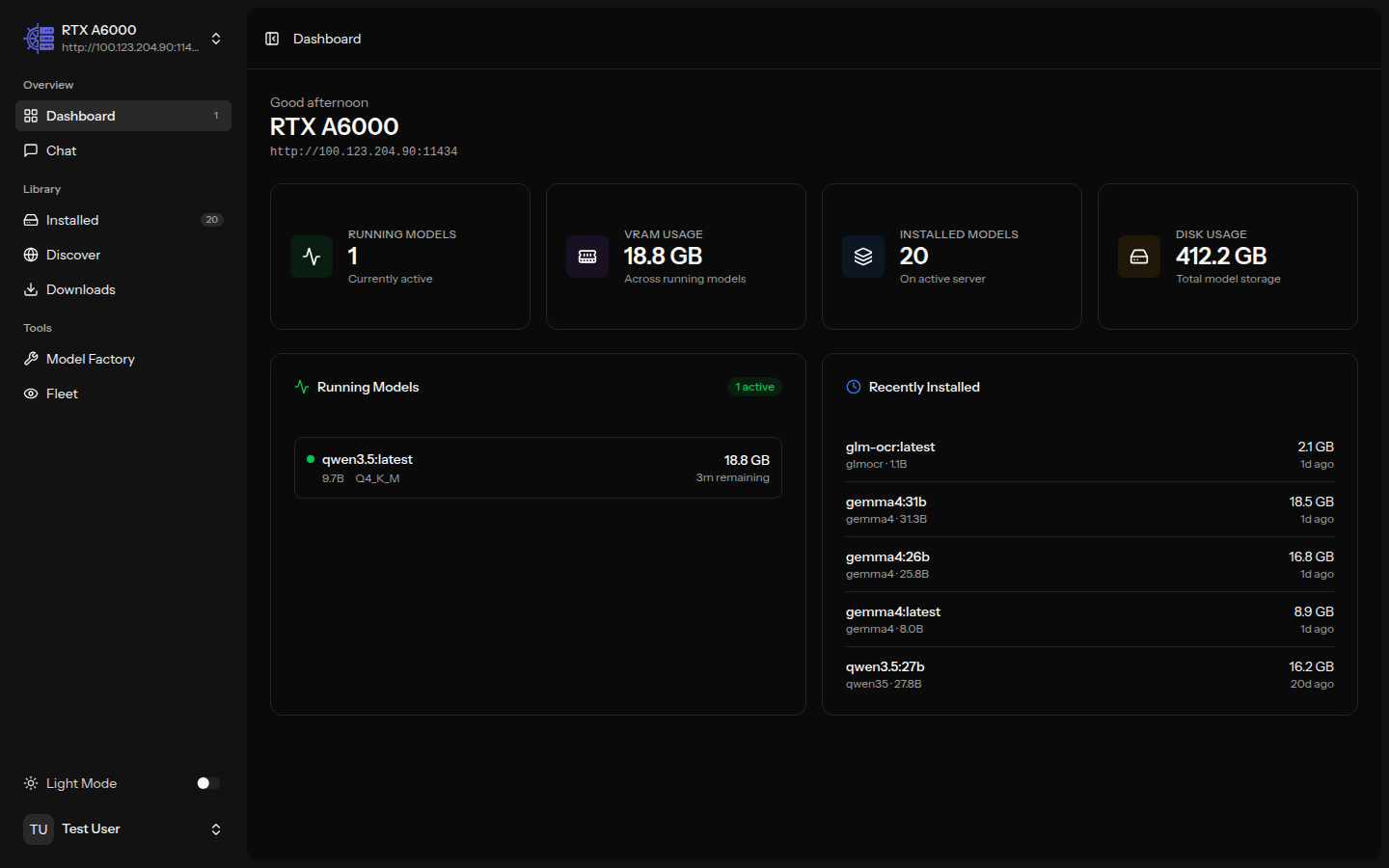
The self-hosted control plane for Ollama AI servers. Monitor GPU resources, deploy models, and chat — across every server, from one dashboard.
Access from any browser. No desktop app to install. Works on tablets and remote machines.
Manage 2 or 200 Ollama servers from one dashboard. No other tool does this.
Your servers, your data, your network. Docker Compose up and you're running.
AGPL-3.0. Read every line of code. No vendor lock-in. Community-driven.
Features
From model management to fleet monitoring, OllamaHelm provides a complete toolkit for your local AI infrastructure.
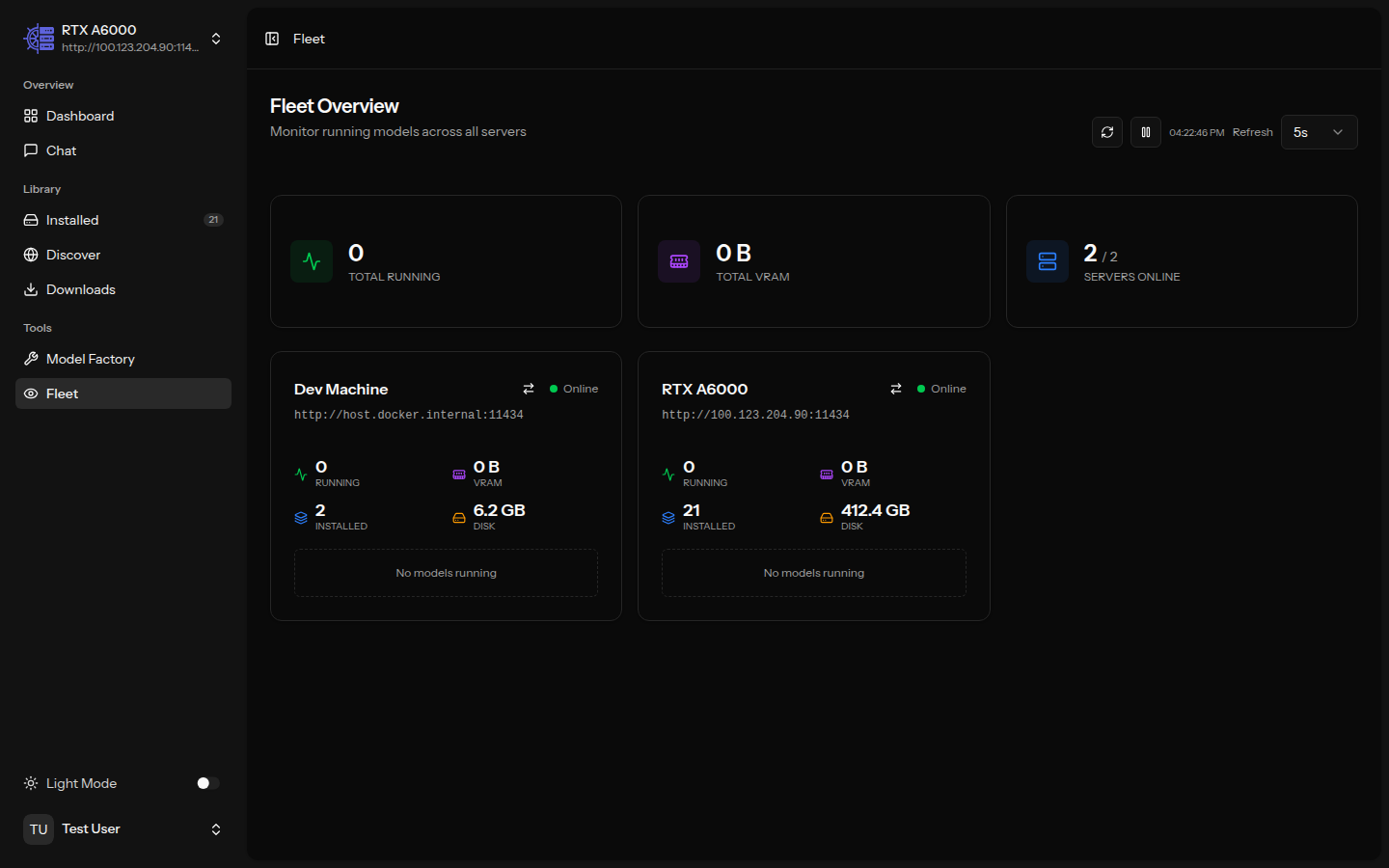
See every server at a glance. VRAM usage, disk space, running models, and connection status across your entire fleet — updated in real time.
Real-time metrics for your active server. Running models, memory allocation, disk usage, and recent activity — all on one screen.
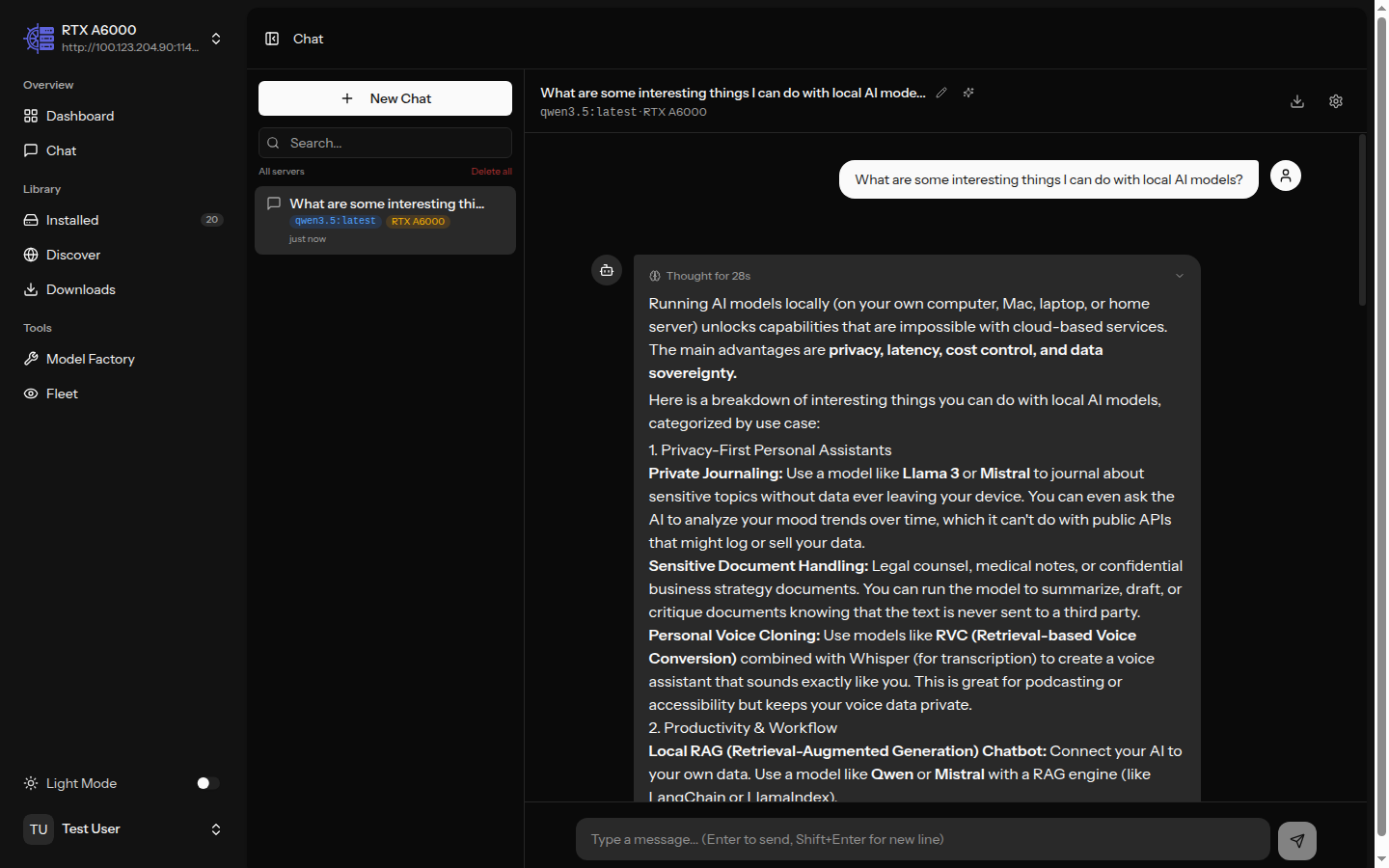
Chat with any model on any server. Thinking tokens, generation stats, time-to-first-token, conversation history, and export — all built in.
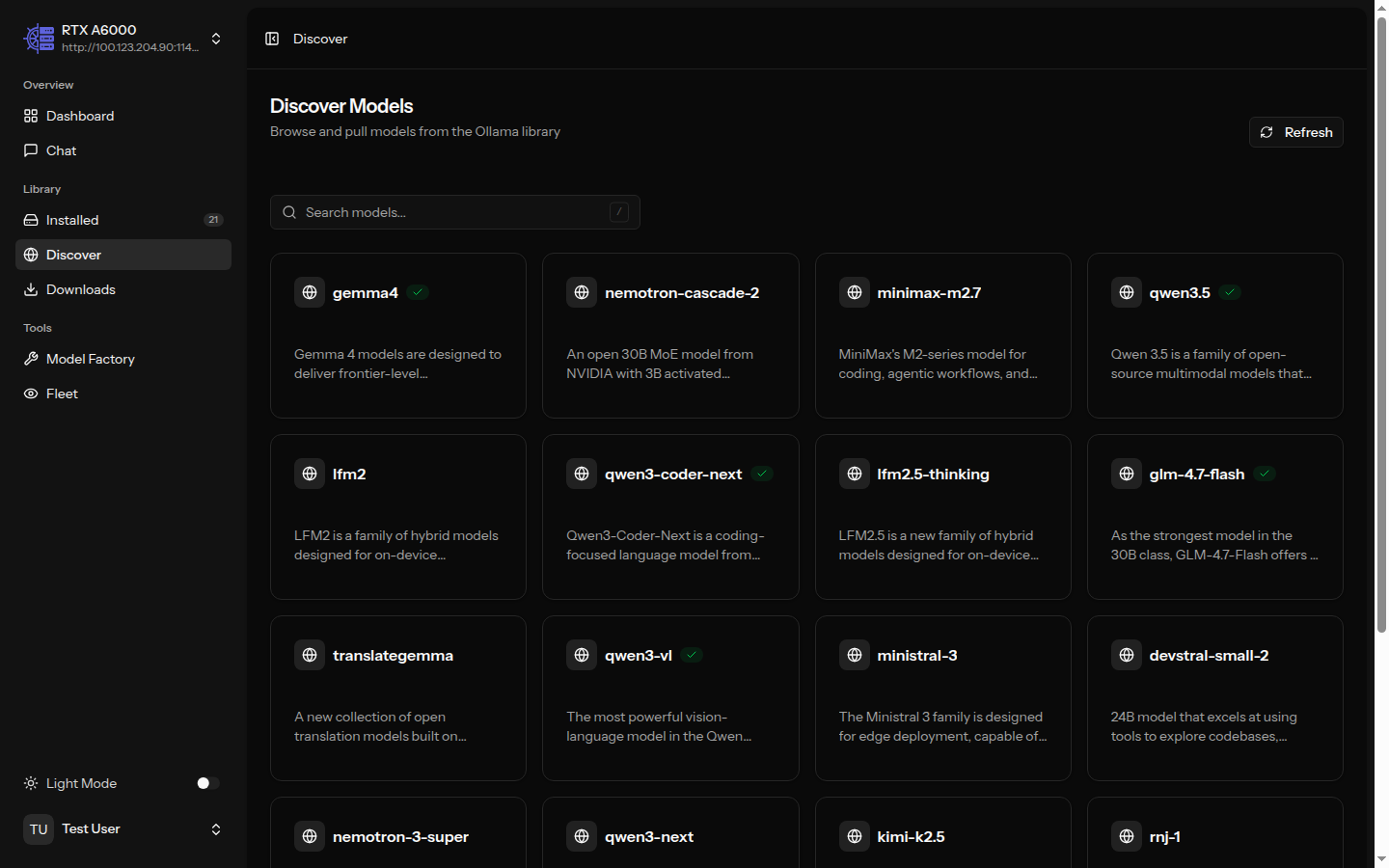
Browse the full Ollama model library. Filter by capability — vision, tools, thinking, code. See which models are already installed across your servers.
Build custom models with tailored system prompts and inference parameters. AI-assisted prompt generation. Deploy to multiple servers at once with status tracking.
Create custom models with AI-generated prompts and deploy across your fleet
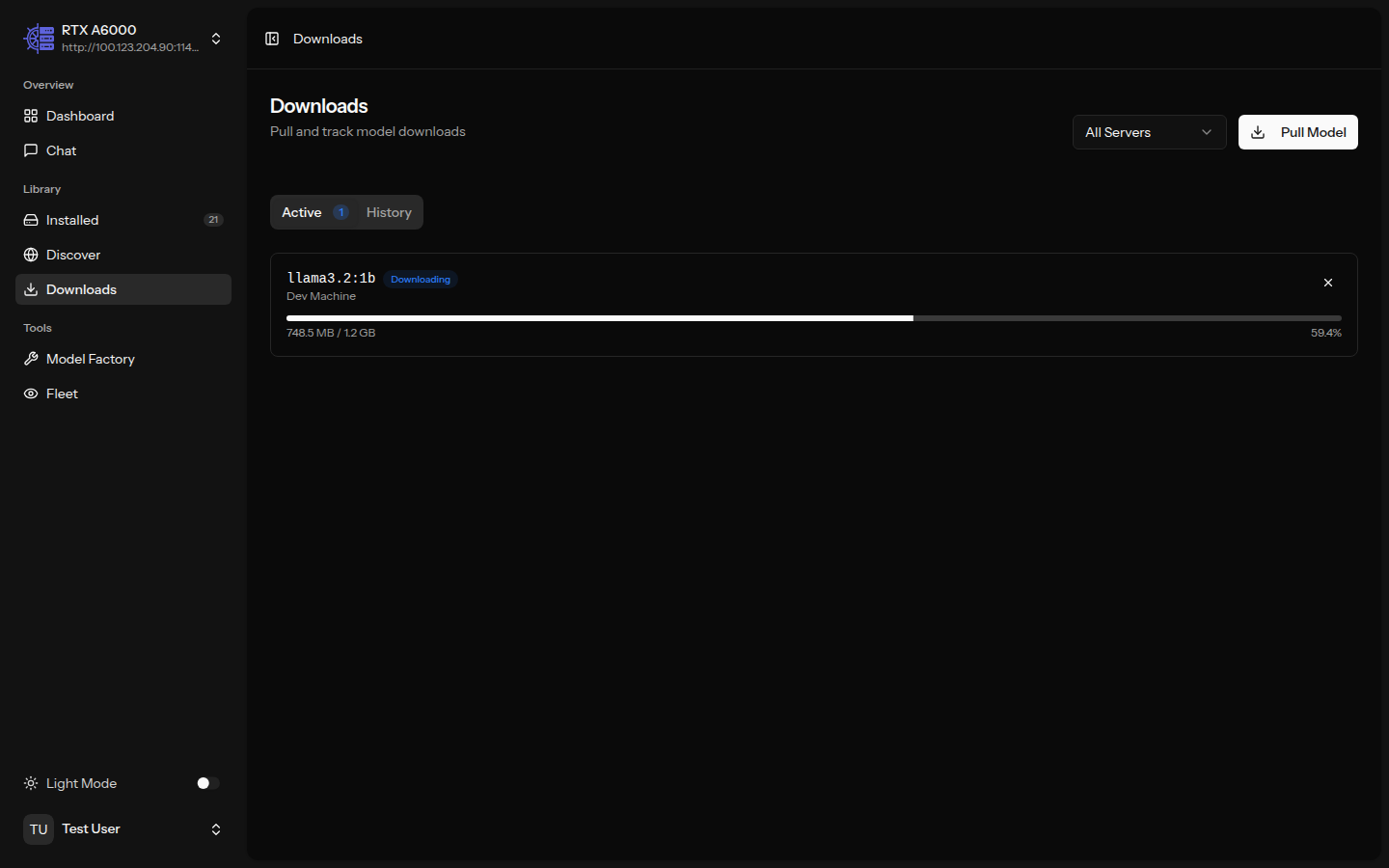
Pull models with real-time progress bars and speed tracking. Queue multiple downloads across different servers. Cancel, retry, and track history.
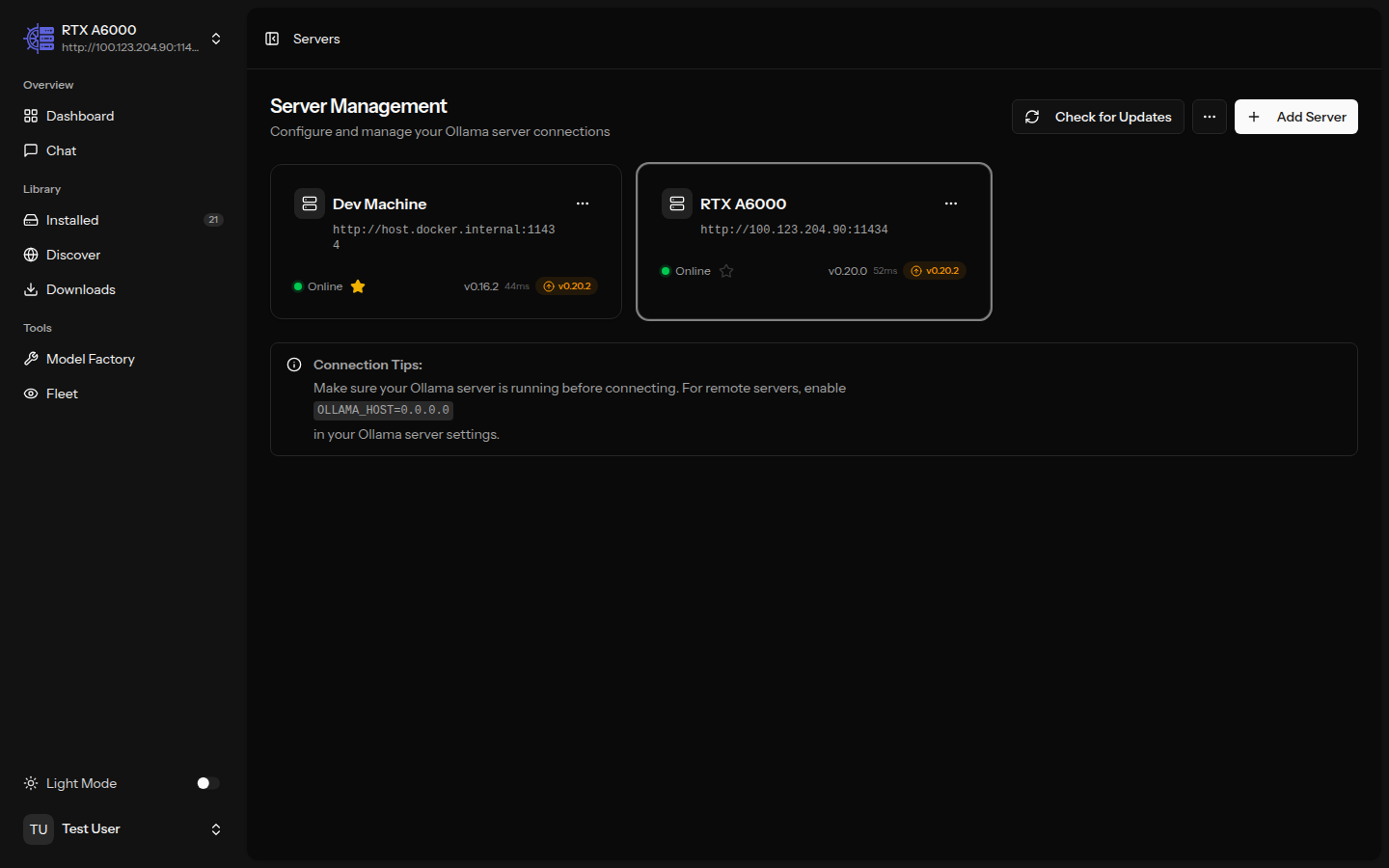
Add, test, and organize your Ollama server connections. Encrypted credentials, connection testing, enable/disable without deleting. Import and export configurations.
See how OllamaHelm compares to other Ollama management tools.
| Feature | OllamaHelm | OllaMan | Open WebUI | LM Studio |
|---|---|---|---|---|
| Web-based (any browser) | ||||
| Multi-server management | Unlimited (Pro) | |||
| Fleet monitoring dashboard | Pro | |||
| Model library & install | ||||
| Streaming chat | ||||
| Custom model creation | Pro | |||
| SSO / OIDC | Enterprise | Enterprise | ||
| RBAC (role-based access) | Enterprise | Enterprise | ||
| Open source | AGPL-3.0 | Custom | ||
| Self-hosted Docker | ||||
| Pricing | Free / $99 perpetual | $9.90 - $19.90 | Free / Enterprise | Free / Enterprise |
Free for hobbyists. Pay once, keep it forever. Updates and support for 1 year.
Perfect for solo developers and home labs.
For teams managing shared Ollama infrastructure.
or $5/mo subscription
For organizations with compliance and governance needs.
One file. One command. Your fleet manager is ready.
services:
  app:
    build: .
    ports:
      - "${APP_PORT:-8000}:8000"
    volumes:
      - ollamahelm-storage:/app/storage
    environment:
      - APP_ENV=${APP_ENV:-production}
      - APP_DEBUG=${APP_DEBUG:-false}
      - APP_URL=${APP_URL:-http://localhost:${APP_PORT:-8000}}
      - OLLAMA_DEFAULT_HOST=${OLLAMA_DEFAULT_HOST:-http://host.docker.internal:11434}
    extra_hosts:
      - "host.docker.internal:host-gateway"
    restart: unless-stopped

volumes:
ollamahelm-storage:docker compose up -dhttp://localhost:8000Open WebUI is primarily a chat interface focused on a single Ollama server. OllamaHelm is a fleet management tool built for managing multiple Ollama servers from one dashboard. We provide real-time fleet monitoring, model deployment across servers, and enterprise features like SSO and RBAC that Open WebUI only offers at enterprise scale.
Absolutely. The free tier includes up to 3 servers, the full dashboard with live metrics, streaming chat with thinking tokens, model browsing and installation, download manager, and local auth with 2FA. We never cripple the free tier — every happy free user is a potential upgrade or referral.
You pay once ($99, or $49 during early bird) and get Pro features forever — including all future updates and new versions. There is no version cap. The only time-limited part is priority support, which lasts 1 year and can be renewed for $49/yr. The software itself never stops working or locks you out.
Nothing changes with the software. You still get every update, every new feature, every bug fix — forever. You just won't have priority support. You can still use community channels (GitHub discussions, Discord). If you need priority response times, renew support for $49/yr.
Yes. License keys are Ed25519-signed JWT tokens validated entirely offline. There is no phone-home, no license server, no internet requirement. The public key is embedded in the application. This makes OllamaHelm ideal for HIPAA, FedRAMP, and other regulated environments.
Change your Docker image from ollamahelm/ollamahelm:latest to ollamahelm/ollamahelm-pro:latest, add your license key as the OLLAMAHELM_LICENSE_KEY environment variable, and run docker compose pull && docker compose up -d. That's it.
Yes. The entire free tier codebase is licensed under AGPL-3.0. You can read every line, fork it, contribute to it, and self-host it. Pro features are gated by license validation in the same open-source codebase. Enterprise features live in a separate private package.
Free for up to 3 servers. No credit card. No sign-up wall. Just Docker Compose up and go.